How to Set Up an Ergonomic Workstation (Malaysia Guide)
A practical guide to ergonomic desk setup for office workers in Petaling Jaya and KL — and why better furniture alone won't fix the pain you already have.
Every few months, a patient comes in having just bought a new ergonomic chair. Sometimes it's a high-end one — Herman Miller, Secretlab, the kind with adjustable lumbar, adjustable armrests, adjustable everything. They're proud of the purchase. And then they tell me the back pain hasn't changed.
This is not a story about bad chairs. The chair is usually fine. The problem is that ergonomics addresses future load — and what they're feeling is the result of years that have already happened.
Understanding that distinction is the most useful thing I can offer anyone asking about their desk setup.
Why ergonomics still matters
Before I explain its limits, I'll say this clearly: getting your workstation right does matter. A poor setup doesn't just cause pain — it sustains it. Every hour you spend with your screen too low, your neck flexed, your pelvis tucked under you, is an hour adding to a cumulative load your body is already struggling with.
Good ergonomics does three things well. It stops the problem getting worse. It reduces the daily mechanical load on your spine and soft tissues. And if you're already in physiotherapy, it improves how well you recover between sessions — because we're not trying to repair tissue that's being re-stressed eight hours a day.
Think of it as creating the right conditions for recovery. Not the recovery itself.
The setup points that actually matter
There's plenty of generic ergonomic advice online. Most of it is correct but disconnected from what real offices — and real homes — in PJ and KL actually look like. Here's what I focus on with patients.
Screen height matters most for your neck. Your eye level should land on the top third of your screen — not the middle, not the bottom. If you're looking down, your head is flexed forward. For every centimetre of forward head posture, the load on your cervical spine increases substantially. A ream of paper under your monitor, a monitor arm, or a laptop stand costs very little and makes a real difference.
Chair height: feet flat on the floor, knees at roughly 90 degrees or slightly more open. If possible, hips fractionally higher than knees — this helps maintain a slight forward tilt in your pelvis, which is far better for your lumbar spine than sitting in a posterior pelvic tilt (the slumped, tucked-under position most people default to after 20 minutes in any chair).
Lumbar support — use it if your chair has it. If it doesn't, a rolled towel placed at the small of your back works. But the support is a cue to help you find pelvic position, not a substitute for it. A lumbar roll behind a posteriorly tilted pelvis doesn't help much. The goal is to sit with your lower back in a gentle curve, which starts with how your pelvis is positioned.
Screen distance: arm's length or slightly beyond. If you're leaning forward to read, the font is too small — increase it. Leaning in is a neck and shoulder problem waiting to develop.
Keyboard and mouse — keep them close together, elbows at 90 degrees or slightly open. You should not be reaching forward or to the side to use your mouse. That sustained shoulder abduction loads the rotator cuff and upper trapezius in a way that adds up quickly over an eight-hour day.
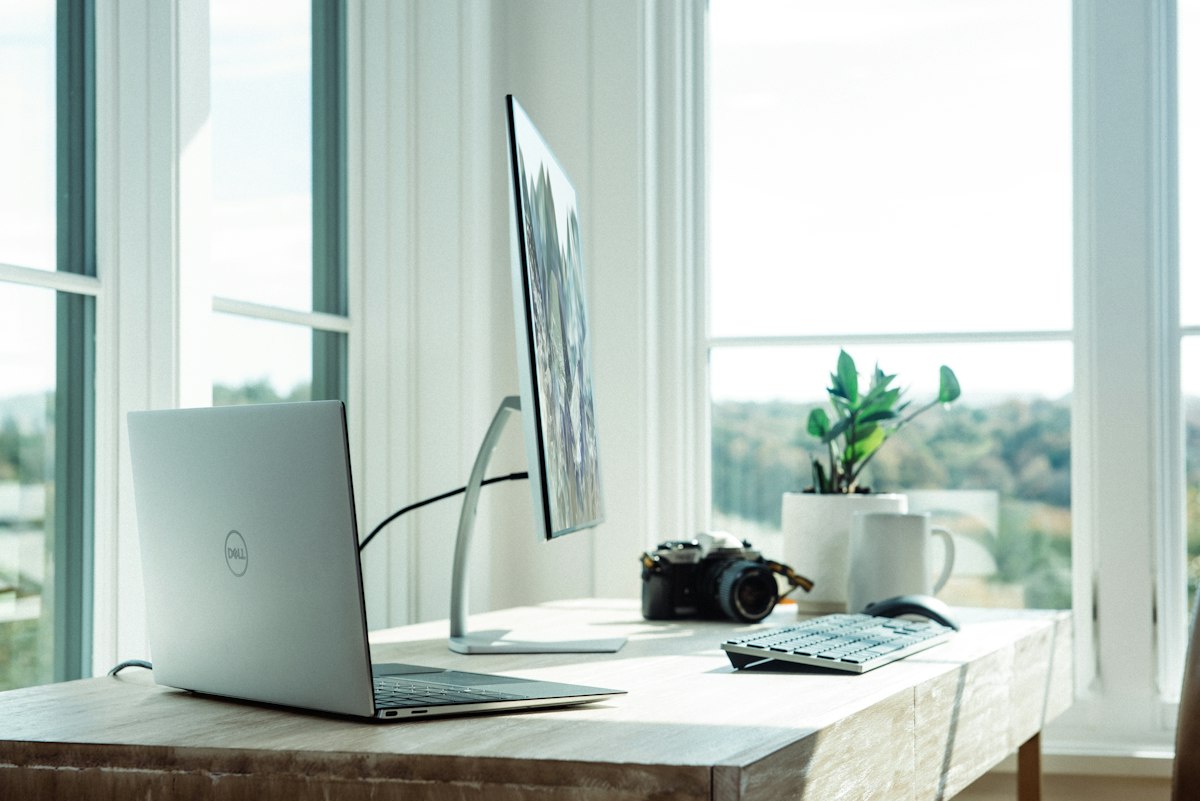
The laptop problem is the setup I see most often in Malaysian offices and home setups, and it causes the most damage. When you work on a laptop without a stand or external keyboard, you face an impossible trade-off: either your screen is at eye level and your wrists are elevated, or your wrists are comfortable and your neck is flexed 30–40 degrees. There is no neutral position on a laptop alone. If you work from a laptop, a stand and an external keyboard are not luxuries — they're the minimum.
The most underrated advice I give
None of the above is as important as this: movement frequency beats any static position.
Sitting perfectly for three hours is worse for you than sitting imperfectly with regular breaks. The research on this is consistent. A brief stand, a short walk to the kitchen, a few shoulder rolls — done every 30 to 45 minutes — does more for your spine than any chair on the market.
Set a timer if you need to. Your body was not designed to hold one position for extended periods regardless of how well-optimised that position is.
The WFH reality
A significant portion of the people I see in Ara Damansara are working from home — dining tables at the wrong height, low sofas, occasionally beds. If that's your situation, here's the practical version:
A dining table is usually too high for keyboard use and too low for a screen. Fix the screen first — a stack of books or a box under the laptop stand, with an external keyboard on the table surface. If the chair is too low, a firm cushion or folded blanket raises your sitting height without requiring a new chair.
Avoid the sofa for extended work. The low, reclined position places your pelvis in maximum posterior tilt, your lumbar spine in flexion, and often leaves your head propped forward to see the screen. It's the worst combination of everything I've just described, done for hours at a time.
What ergonomics cannot do
This is the honest part. A better setup reduces the load going into your body from today forward. It does not undo what has already accumulated.
If you have neck pain, lower back pain, or shoulder tension that's been building for months or years, improved posture will not resolve the muscle imbalances, the tight structures, and the weakened stabilisers that have developed over that time. I've written more about this in my post on what years at a desk do to your spine — the short version is that the structural changes are real, and they don't reverse themselves through posture alone.
For the movement side of the equation, use this desk-worker stretch and strength guide. It separates the areas that benefit from mobility work from the muscles that need to be strengthened instead.
This is why patients come in with good chairs and persistent pain. The chair is the right first step. But the body also needs assessment and treatment for what's already there. Our workplace physiotherapy service is specifically designed for this — helping office workers in PJ and KL address the cumulative effects of desk work, not just manage symptoms.
When to stop adjusting and start treating
If you've read this far, made some changes to your setup, and your pain is still there after a few weeks — that's your signal.
The setup is right. The problem is in your body now, not your furniture. A proper assessment will identify what's actually driving your symptoms, whether that's hip flexor tightness, reduced thoracic mobility, weak deep neck flexors, or something else entirely. From there, treatment is specific, not generic.
WhatsApp us to book an assessment. We're based in Ara Damansara, Petaling Jaya, and we see office workers with exactly this presentation every week.
A better chair is a good start. Sometimes it's just not enough on its own — and that's not a failure, it's just physiology.
Related articles.
If this piece helped, these will too.

Running Injuries Malaysia: Why It's Not Your Shoes
Running injuries in Malaysia often start after a mileage jump, not a bad shoe. A Subang physio on load, runner's knee, shin pain, and safer return.

Pickleball Injuries Malaysia: Not Easier Badminton
Pickleball injuries in Malaysia often start after three weeks of 'easy' play. A Subang physio on elbow, Achilles, and why volume beats the myth.

Back Pain in Pregnancy: What's Safe and What Helps
Back pain in pregnancy is common, but you do not have to simply endure it. Learn what is safe, when physiotherapy helps, and when to seek medical care.
Book an assessment.
60 minutes. One-to-one with Felicia. Reply on WhatsApp within a few hours.
Message on WhatsApp